Category: Uncategorized

East Bay CUE, Cool Tools VI

By rwhite, February 6, 2010 11:51 am


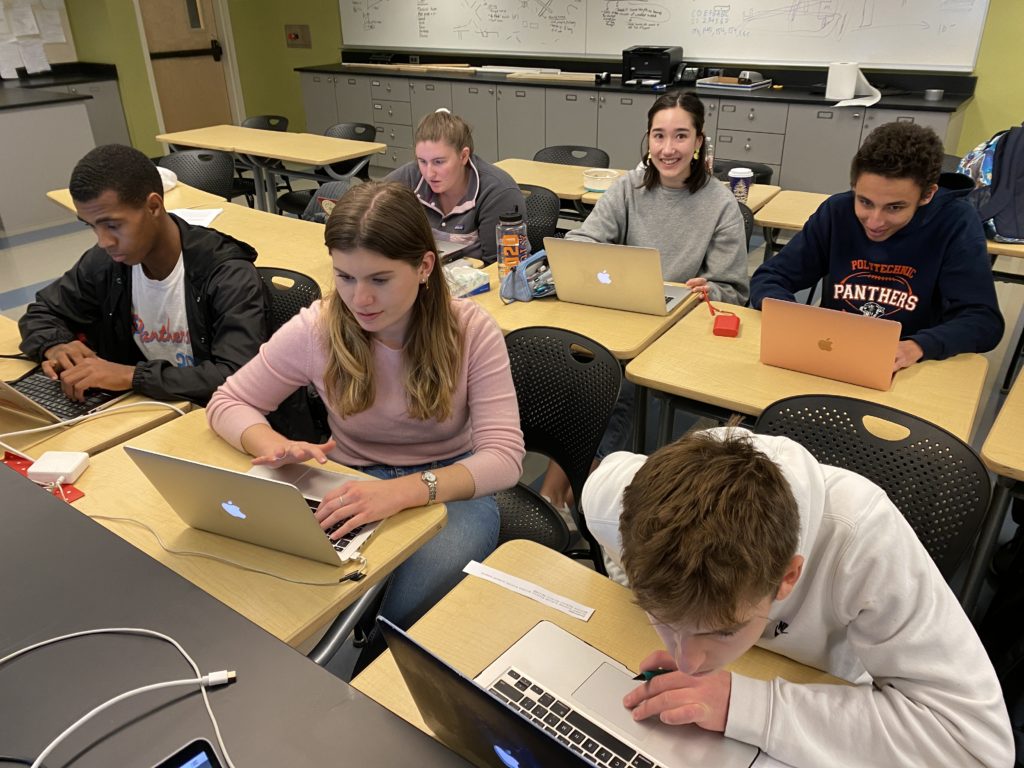
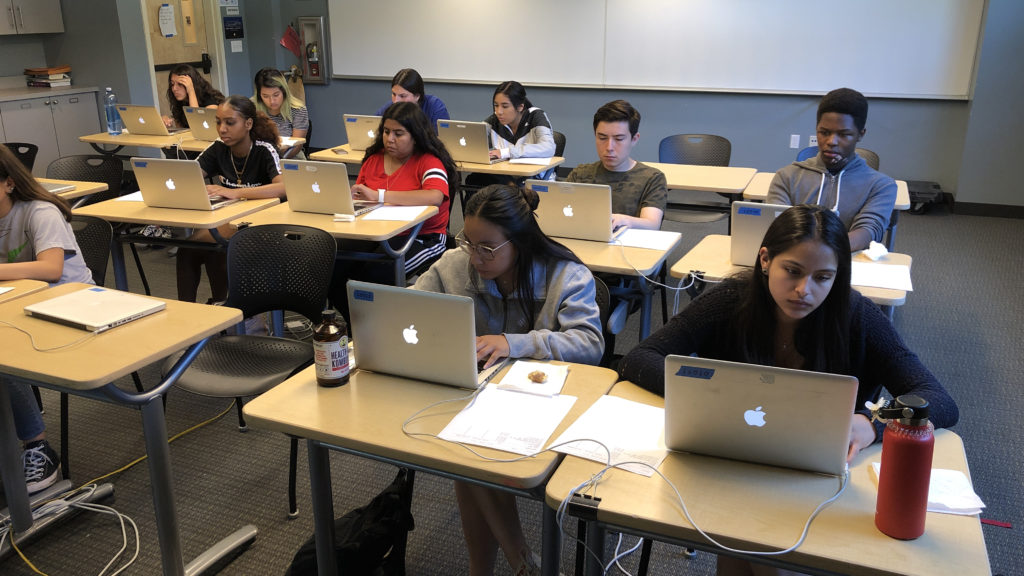
Aaron and I had a chance to give a presentation at the East Bay CUE Cool Tools VI workshop today in Hayward, CA: Today’s Technology-Enhanced Classroom: From Prep to Delivery, and Beyond!

Here’s a link to the shared Google Doc that includes references from the talk:
http://docs.google.com/Doc?docid=0AY74d11WH3xkZGcydDg5dDVfMTZnaDY1bnhmYg&hl=en

Any questions or comments from attendees at the workshop? Feel free to email me. We had a great time working with you guys!

Collecting Student Info w/ Google Docs

By rwhite, December 14, 2009 12:49 pm

Collecting Student Information with Google Docs

2009-12-13

by Richard White

In addition to teaching—interacting with our students in one way or another to guide them in learning new material—most of us find ourselves in the position of collecting various forms of data on our students: attendance, essay responses to questions, test scores, evaluations of their projects, etc.

There are two sets of data that I collect from year to year that have been especially helpful to me. One is a “Student Information Form.” Students at the beginning of the year are asked to give me the usual name, address, phone number, email address, along with contact information for their parents/guardians, the students screen name (if they chat), their favorite musical artists (interesting to me), and anything else they’d like to mention to me at the beginning of the school year.

In the good old days I’d collect that information on a piece of paper with purple text, smelling of chemicals and still slightly damp from the ditto machine. Then the school got a photocopier. A few years ago I set up an online form that students would fill out, with the results of the form emailed to me so that I could easily process and compile them into a spreadsheet.

Enter Google Docs, and the outstanding Forms option. Now, with a Google account and Docs, you can have Google do the heavy lifting for you. For this example, I’m going to use another type of form that I use to collect information from my students, but this time, it’s information on me. A teacher/course/text evaluation is something I’ve used over the years to track my own teaching, and get ideas from students on how I can improve things. I’ve got a series of questions that I ask students to give me feedback on. We’ll use a subset of those questions for our example.

HOW YOU DO IT

1. Log into your Google account. (Don’t have one yet? Create one using the easy instructions.)

a

2. Under the “more” menu, select “Documents” to open up your Documents page.

b

3. Under the “Create new” menu, select “Form.”

c

4. Choose type of question you want to ask:
a. Text – a single line answer
b. Paragraph text
c. Multiple choice (radio buttons)
d. Checkboxes (more than one answer may be selected at the same time)
e. A list
f. A Scale response (as in “Likert scale”)
g. A grid

d

5. Indicate specifics for that question.

e

6. Add additional questions as desired by clicking on the Edit button.

f

7. Note that at the bottom of this Form editing page, a URL is given. This is the URL that you provide to students so that they can view the Form in a browser and begin entering information into it.

g

When you click on that link the form looks like this:

j

Here’s the interesting part: this form is really just a “front end” to a spreadsheet that is automatically generated when you create the form.

8. To see what your form looks like, and to test out the spreadsheet, go ahead and click on that link at the bottom of the form you’ve been editing. A new window will open up with the completed version of your form. I’m going to go ahead and fill out some test data. Once the form has been submitted, there’s a brief thank-you note from Google… and that’s it! The information has been entered onto my private spreadsheet.

k

9. I can access that spreadsheet by looking at the documents listed on my Google Docs page (you may need to reload the page if it’s a new form that you’ve created).

l

10. Click on that spreadsheet to load it into a new window where you can view its contents.

m

11. Note that this spreadsheet is not, by default, shared with anyone else. If you do choose to share with somone—colleagues, or even students—you can do so by clicking the “Share” button in the upper right of the window and selecting “Get the link to share…”

n

Here, you can indicate whether or not you’d like the sheet to be visible online (to anyone who has the link), and whether or not you want to give them the ability to edit the spreadsheet itself.

o
If you want to give only select individuals the right to view and/or edit the spreadsheet, click Share > Invite people… and enter the Google account email addresses of those people you want to invite.)

And that’s it!

Teachers have found lots of ways to leverage Google Docs’ Spreadsheet app and the Forms front end that you can use to automatically fill out a spreadsheet. As of this post, you can see how some people have done this here, and here. Or how about this Self-Grading Quiz?

The possibilities are endless!

Got your Elevator Talk ready?

By rwhite, December 6, 2009 5:32 pm

I got an email from a student at my school this evening:

I’m supposed to write an article (300~500 words) on your website (http://learnapphysics.com/) regarding your AP physics question of the day. This article is going on the Paw Print. I’d love to have a small meeting or interview with you so I can gather some quotes and more information about your website.

So I guess it’s about time I brush up my Elevator Talk.

You know what an elevator talk is, right? For your business, your website, your project, it’s convenient to have a a brief, pithy, explanation of the thing, something that you can deliver to a complete stranger in 30-seconds or less (the time it takes to share small talk with someone in an elevator who says, “So tell me, what is it you do?”). The idea isn’t merely to summarize what you do, of course, but to intrigue the listener, to impress them even with what it is you or your project do. It’s personal branding, without the hard sell: you’re just making polite conversation.

Here’s the Personal Statement that I included on my resume a couple of years ago when I was applying for my current position: “I am a creative, high-energy teacher who enjoys working with students to develop their interest in the physical sciences. I am especially interested in the potential of using various forms of technology to encourage students’ educational growth.” Not terribly punchy, I’ll admit, but it was okay, back in the day. And I got the job, so…!

This is obviously NOT just about the elevator, is it? It’s about keeping your administrator informed about what’s been happening in the classroom these last few weeks. It’s about convincing Accounting that you really do need to attend that upcoming conference. It’s about making sure that 9th grader gets the details right when they’re putting together that story for the school newspaper.

So… what sound bites should I use for this little interview? What should I tell the journalist about this site? Any ideas? Leave a comment!

Cellphones are the new Laptops

By rwhite, December 2, 2009 6:28 pm

IMG_0231
Will Richardson, at Weblogg-ed, has another fascinating post on how technology is transforming learning. This one discusses the incredible potential of the cellphone, based on both its increasing processing power and ubiquitous availability.

My good friend Michael, at Socratica.com, is interested in the same thing. (Disclaimer: I’m involved with this project.) Michael is interested in making learning available world-wide, and while the rest of the technology community struggles with how to distribute broadband networks across Africa, perhaps there’s some sense in using the network that’s already there: mobile phones.

No one is saying (yet) that lessons somehow delivered via a 2″x3″ mobile phone screen are going to replace a teacher and a well-equipped classroom. But we’re still in the early stages of this, and there’s lots of room for exploration here. And as teachers, more than anyone, we especially need to be open to the potential.

True story:

Two years ago I was teaching an introductory lesson on momentum to some 9th graders in a Conceptual Physics class. “One can calculate the momentum of an object by using the formula ‘p=mass times velocity,’ where ‘p’ stands for momentum.”

“Why ‘p’?” a student asks.

“Good question,” I respond. “I have no idea. You should look that up and report back to us tomorrow.”

A few minutes pass. A student in the back of the room raises his hand.

“Yes, Daniel?”

“Mr. White, I think that the ‘p’ might stand for a Latin word related to motion.”

“Wow, Daniel, I guess that makes some sense. Newton’s Principia was written in Latin, after all. That’s really interesting. And good for you for taking Latin!”

“Oh, I’m not taking Latin, Mr. White,” a slow smile spreading on his face as he brought out his cell. “I looked it up on my iPhone!”

We need more stories like this.

P.S. It turns out that Daniel was wrong about the Latin. The truth is that no one really knows about the “p”…

Playing Well with Others… and Charging for It

By rwhite, November 25, 2009 10:13 am

PLAYING WELL WITH OTHERS… AND CHARGING FOR IT

2009-11-24

by Richard White

ch6_cover
We’ve already discussed opening up your classroom content to the world, and what the advantages and risks might be there. There were three events in the last week that reminded me of what an interesting process this has the potential to be.

One of the first was an email that I finally got around to answering, a courteous email from a colleague previously unknown to me in the east.

…I happened upon your most excellent site and was wondering if you’d be will to share your materials with me.

I really like your practice tests and presentations and was wondering if you’d be willing to send the originals to me (it’s hard to use the PDF’s) as well as the answers…

So now I’ve got to put my money PowerPoint slides where my mouth is. I don’t know how much time I’ve got for an open-ended collaboration with someone–I can’t be the only one here who feels like I’m running just to stand still–but it’ll be interesting to see what comes of this.

The second thing that happened makes me wonder if giving “my stuff” away for free just makes me a great big sucker. The New York Times published this article, Selling Lessons Online Raises Cash and Questions, reporting on how some teachers are making money on the side selling their lesson plans to other teachers. I was a little surprised by some of the figures in the story–tens of thousands of dollars made selling lessons for one teacher–and I have to admit to more than a little curiosity about the specifics here: What do these lessons actually look like? Don’t teachers have the capability of creating their own lessons? What teacher has the discretionary budget to purchase sight-unseen lesson plans in hopes that they might satisfy some need? And perhaps most significantly, will someone pay me $30k+ for my stuff? Because, you know, I don’t have a problem with that.

Apparently there were a few people who did have a problem with that, in the letters to the editor after the article’s publication. As my tech director points out, however, when teachers tutor students in the evenings, we certainly don’t expect them to have to do that gratis. And if that’s the case, then why would we expect them to give away content that they’ve created for free, particularly when those lessons were created–as they almost always are–on the teacher’s own time, at home?

Finally, a conversation with my school director today wandered into the topic of “students producing original work,” and whether it wasn’t perhaps a bit naive on the part of teachers to expect that student X this year is going to have something new and exciting to relate on, say, “Macbeth,” given all the research and thinking that has already been devoted to its study. This directly led to some consideration of the New York Times article: if we expect original work from students (whatever that may mean), might we not expect something similar from teachers? Don’t we want something more from teachers than someone to stand at the front of the room, clicking through a PowerPoint presentation? And what does it say about your capabilities as a professional educator if you have to rely on someone else’s material for inspiration?

Perhaps you see the straw man here. Educators–indeed, professionals of all types–don’t work in isolation, and aren’t expected to. Opening up discussion of all kinds–sharing of research, discoveries, materials–benefits all concerned, and at its best, has the potential to help teachers improve their craft, and students improve their understanding of the material. Indeed, at most of the schools I’ve worked at, an informal electronic archive of resource materials is kept for some classes, including:

  • PowerPoint presentations
  • videos
  • worksheets
  • labs
  • independent projects
  • rubrics
  • syllabi

So yeah, sharing and collaborating is an important part of professional development, and I don’t see anything wrong with charging what the market will bear, if that’s what you choose to do.

Anyone want to buy a lesson on Circular Motion?! :)

Zero-Sum

By rwhite, November 9, 2009 9:41 pm

ZERO-SUM

2009-11-09

by Richard White
roadracer
When I was a young boy of 11, I was a little bit of a geek (go figure), and for a while there, I really wanted to be a mathematician when I grew up. My main inspiration at the time was the Time-Life book of Mathematics, with pictures of a roomful of glowing computers, and a transistor, and logic tables, and logarithmic spirals, and a Klein bottle (not really, of course), and… well, I never did become a mathematician. Kind of like my brief fling with racing motorcycles, it turned out to be one of those things that seemed really cool and do-able at the time, but then later on turned out to be a really bad idea. For me, anyway. (I had one look at Grand Prix roadracer Kenny Roberts dropping a knee on turn 11 at Laguna Seca, turned to my friend Dave, and said, “I am NEVER doing THAT!”

It was somewhere in that Time-Life Book of Mathematics that I learned a little game theory, and probably there that I first heard of a zero-sum game. The general idea is that–in games, economics, and in daily life–many things are zero-sum: wins and losses balance out and add to zero. Not ALL situations are like this, of course, but some things–playing chess, or betting in poker–are. If White is checkmated, Black has won. If I lose $5 in a hand, my opponent wins $5. Those things are zero-sum.

And the workday is zero-sum as well, of course. The hours, minutes, and seconds add up to a day worth 24 hours and change, and time I spend sleeping is time that I don’t get to spend reading. Time I spend working is time I don’t get to spend playing (usually). We all make choices about where we devote our time and energy. To quote a former district superintendent of mine (who I didn’t like very much, but she was right about this one thing): “You can have anything you want. But you can’t have EVERYTHING you want.”

So a few years ago, anytime someone at work suggested I start doing something new, I decided it was time for me to acknowledge the zero-sum day. “That’s fine, I’ll start doing XYZ, just as soon as you tell me what I DON’T have to do anymore. I’ve got a limited amount of time here, so…what do you want me to STOP doing, so that I can do your new thing?”

This isn’t just brash impertinence or a snotty case of “you can’t make me.” It’s an honest question, with increasingly important consequences. You want me to email parents regularly? That’s fine, as long as I can give up calling them. I’ll take on Facebook, and give up MySpace. I’ll start blogging for friends, if I can use the blog to replace writing the majority of my personal letters. But in a world that makes increasing demands on my time, it’s increasingly important that I take an active stand in not parceling out my life to the detriment of my family, my friends, my health…

The one exception I’ll make for this rule is this: I’ll consider investing time upfront, with the understanding that I’ll have a good chance of reducing time/energy expended on the back end. I few years ago, I decided to transition from using a whiteboard in class to using PowerPoint-based presentations, and I knew that moving three 3-inch-thick ring binders worth of material into electronic form would require some time. The payoff came the following year: lesson preparation was a simple matter of tweaking a few slides that I wasn’t happy with, and I was now in a position to be able to distribute copies of discussion materials in-class or online, as desired.

Here’s an interesting exercise. Assuming that you ARE going to have to incorporate some new activity, process, or technology into your life in the next few days… what would you give up? What are you ready to let go of in your workflow? What previous commitment are you ready to say “goodbye” to?

P.S. Just a quick follow-up to this post: Will Richardson over at Weblogg-ed laments that many teachers have difficulty in being “selfish”: taking time from the day to learn something new for themselves, rather than always focusing on delivering in the classroom. He wonders if it’s “just not in our DNA?”

I think that’s about right, at least metaphorically speaking. Teachers do tend to be caring, giving, nurturing people–those that aren’t get out of the profession fast; it doesn’t pay well enough! If I’ve got 30 minutes in the evening, I might:
a. Spend it with my family / friends,
b. Grade those papers, or
c. Spend that time reflecting on my practice and thoughtfully reading blogs from my Personal Learning Network (PLN).

In the Zero-Sum day, it’s not hard to see which of these tends to get neglected.

Gedanken Me This: Why not open up your classroom content?

By rwhite, November 1, 2009 1:49 am

GEDANKEN ME THIS: Why not open up your classroom content?

2009-11-01

by Richard White

Richard teaching at Berkeley High School

Richard teaching at Berkeley High School

In the process of slowly putting aspects of my face-to-face teaching up onto the Web, I’ve been asked this single question more than any other:

“Can I get a copy of your PowerPoint slides?”

The presentation slides that I use to structure my classroom discussions contain just about what you’d expect from a carefully considered deck. I’ve got graphics and diagrams, important definitions, sample problems that I want to go over with the students, and an impressive lack of the dreaded “bullet points.” I’m a faithful acolyte of Garr Reynolds (Presentation Zen: Simple Ideas on Presentation Design and Delivery is amazing) and Nancy Duarte (buy slide:ology: The Art and Science of Creating Great Presentations
NOW), and I have enough experience to know that the slides are not my presentation–I’m the presentation; the slides are just a tool that make it easier for me to present to a larger number of people.

One of the main reasons I began using presentation software (which can include Microsoft’s PowerPoint, Apple’s Keynote, OpenOffice’s Impress, Google’s Docs, etc.) was to make my “lecture notes,” graphics, and material covered in class available to students who had been absent, or for those who just wanted copies to review with. I made PDF printouts of the slides available for download on the course website, but was reluctant to share the actual slides themselves. Because… well, those are MY slides.

I’ve been working on MY slides for YEARS now, refining them a little almost every time I use them. I feel suprisingly attached to those slides, and protective, and I’m not alone in this. At least two of my colleagues–one where I currently teach, and one at a former school–feel exactly the same way. The colleague in Northern California is about as hybrid as it gets: this guy–my best friend Aaron, and partner in edtech crime–actually records video of his lectures every day, and posts it on the Internet for his students to see.

But you can’t get him to share his slides with you to save your life. It’s funny.

So here’s your Gedanken for the day. Why NOT share your slides?

Seriously. Why not? Why not share your slides, and your handouts, and just about everything else that you use in your class? What do you think is going to happen if you do?

In software development, this idea of opening up your source code for the world to see (and for others to potentially collaborate on) is called “open sourcing,” and we teachers have been doing this for years. “Steal from the best” is the advice my mentor teacher gave to me, inviting me to watch and learn from others, and freely incorporate whatever ideas I thought would assist my own development as an educator. We do this informally (“Hey, how are YOU teaching “Macbeth” this year?”), formally (“We need to sit down to plan this next unit together…”), and institutionally (“Richard, how’d you like to work with a student teacher this semester?”). And frankly, all this sharing? I love that about our profession. So I don’t know why I’m so protective of my course materials.

In discussing this, my friends and I came up with lots of great pretend-excuses.

  1. “I worked hard on these slides–I’m not just going to give them away.”
  2. “What if someone uses my slides… ‘incorrectly’?”
  3. “It’s the responsibility of every teacher to create their own presentations.”
  4. “I want students to have to copy down the information by hand–that way, they’ll learn better.”

I’m not convinced that any of these points stands up to much scrutiny, though. In the end, making slides available to students and colleagues enhances your ability to communicate with them, and does absolutely no harm to you or your teaching that I can think of.

Ask yourself this question: if you were to die tomorrow, would you prefer that your slides pass into the afterlife with you, or would you like them to be available for the potential benefit of others?

I’m not entirely comfortable with the idea yet myself, but… I’m opening up my class. Not EVERYTHING, of course. I can’t post online materials that I AM allowed to use in class under Fair Use doctrines of U.S. copyright law. I’m not going to publicly post students’ grades, or other materials to which I don’t think students should have free access (next week’s test comes to mind here).

But my syllabus? Of course! My grading policies? Sure? The handout and grading rubric for next week’s Independent Project. Yup. The schedule for the next unit? That only makes sense…

And my PowerPoint slides? Well… okay. I’m in.

You convinced me. (Download Chapter 4 PowerPoint deck, 1.7MB)

Digital Transition on a Sunday Morning

By rwhite, October 25, 2009 9:07 am

Digital Transition on a Sunday Morning

Richard White

2009-10-25

True Story:

A few years ago, my good friend Brian travelled to spend the weekend with some friends of his in San Diego. He had an online business at the time, so he took his laptop with him, knowing that there would almost certainly be some spare time on the trip in which he could get a little work done.

He had a great time on Friday and Saturday, as one does when visiting friends. On Sunday morning, the three of them were slowly waking up at the breakfast table, sipping coffee, chatting. It occurred to Brian that he’d like to quickly check his email, but he didn’t want to be rude, so he left his laptop in its case.

Until…

espresso_maker_and_mug

One of his hosts piped up. “Say, you guys wanna hear something funny? There was this great op-ed piece in the New York Times yesterday…” The guy pulled out his laptop, cracked it open, clicked through to the website, and read the op-ed piece aloud as the others sipped their coffees and listened.

Now it was the second host’s turn. “Yeah, but there was a response to that in that guy’s blog. What was his name? I forget. Hang on…” A second laptop is produced, and Google is searched for the appropriate reference.

“Well, hell, if you guys are going online, you won’t mind if I check my email real quickly, do you?” The hosts just laugh, and soon, Brian has dealt with his email, and is on to flipping through his own online newspapers.

And that’s how it went. Three guys, three laptops. Coffee cups are refilled, and they chat merrily late into the morning, reading to each other from their respective “newspapers”–online newspapers, of course–and enjoying each other’s lazy Sunday morning company.

It’s a true story. Technology growth and networking change the media with which we interact, but they don’t change the fundamental nature of that interaction. The kid with the string-and-tin-cans became the kid sharing his parents’ phone line, who became the kid with his own fixed line, who became the kid with a cellphone, who became the kid who can send a text message like he can breathe. But they’re all just kids, trying to hang out with their friends. And there really isn’t anything surprising about that, is there?

Say it with me: “We’re going to continue to transition technologically, and we’re all going to be okay!”

Hybrid Classroom Projects

By rwhite, October 25, 2009 12:44 am

Hybrid Classroom Projects

2009-10-24

So, let’s say you’ve decided you want to “Go Hybrid”: you want to add a little tech into what you’re doing. There are a lot of reasons why you might want to do this:
1. You’re a geek and this is how you roll.
2. You want to be one of the cool kids.
3. You think being high-tech will make you look good.
4. You think your students will like it.
5. Your boss is making you do it.

These are all more-or-less legitimate reasons for wanting to advance your skills, but the best one is this:

6. You have an educational problem, and appropriate technology will provide a solution.

I mean, I love a new shiny gadget as much as the next guy or gal, but the technology is a tool, not an end in itself. It’s important for us to keep that in mind.

Email became popular not because it was cool, but because it was a powerful, fast, and essentially free tool that allows us to communicate more efficiently than we can by postal mail or telephone.

Likewise, my first website (back in 1998!) wasn’t designed to be cool, but rather to save me some trouble. It initially featured three pages: one with answers to current homework problems that students could use to check their work, one with review problems for the upcoming test, and one with a table of the students’ current grades in the course. It was my fervent hope that those three pages would reduce the amount of time I would have to spend going over homework in class, photocopying review packets (the photocopiers at that school were notoriously unreliable), and printing out individual grade reports for students each week, and I’m happy to say that that hope became reality.

But let’s get back to you. You want to incorporate a little more high-tech into your classes, and–ultimately–move a little of that high-tech online. Where does one begin?

The charts below may give you some ideas. There are two–one for grades K-5, and one for grades 9-12, and grades 6-8 and university are just variations on these. Each chart is organized along two axes. The x-axis runs from normal Face-to-Face teaching on the left to Hybrid (combined face-to-face and Internet-based) teaching on the right. The y-axis runs from easy, beginner stuff at the bottom to more advanced, higher-tech stuff at the top. And in general, as one advances and becomes more Hybrid, one moves from the lower left to the upper right of the chart.

It goes without saying that the charts list just a few, general ideas. There are many other things you can do, but if you’re not sure where to begin, consider starting somewhere on the lower-left and see how that goes.

We’ll be talking about some of the items on these charts as we continue the discussion, but if you’re the kind who likes to work ahead, go ahead and get started. Pick a strategy, and make it happen!

hybrid_classroom_projects_k-5
hybrid_classroom_projects_9-12

What IS a Hybrid Classroom?

By rwhite, October 23, 2009 3:39 pm
Is this really necessary?

Is this really necessary?

What is a Hybrid Classroom?

2009-10-23
Richard White
I suppose if you’re coming to a site called HybridClassroom.com, the least I can do is explain what a hybrid classroom IS.
True Confession: I don’t know.
I don’t know, but I *think* I have some idea of what it looks like, and once in awhile, on a good day, it looks like *my* classroom… and my website.
And that’s the key of course. On the spectrum of learning situations, with the Teacher-in-a-Clasroom on one end and exclusively online-based learning on the other, the Hybrid Classroom floats around somewhere in the middle. The Hybrid Classroom is one in which the teacher meets with students, but also conducts some significant portion of the teaching process online.
And that’s it. That’s all there is. HybridClassroom.com was begun to offer suggestions about how to begin conducting your own courses as hybrids, and encourage discussion around the topic. Toward those ends, you’re going to find all sorts of information here, from Words of Wisdom from other hybrid teachers, to technical how-tos, to links to the sites of other people who are thinking about and doing the same thing. This is going to be great.
I have two things that I’ll reveal right here, before we get into the nitty-gritty in the next few postings. The first is this:
<h2>Work With What You Got</h2>
There’s no one right way to go about becoming hybrid, and that’s a good thing, because we’re all in different situations. Public school vs. private school, desktop vs. laptop, Mac vs. PC (vs. Linux!), Elementary vs. High School, English vs. Math, motivated vs. at-risk students, supportive vs. indifferent (vs. combative!) administrators… We all have to take advantage of the resources we have, and navigate with strength and creativity the obstacles with which we’re faced. Wherever you are, that’s where you start, and you decide which way you want to go.
But… you have questions.
<b>Do I need to host my own website to be a Hybrid Classroom teacher?</b>
You don’t need your own domain name for your website. One of the most active hybrid teachers I know runs much of her 9th grade English courses using free (occasionally ad-supported) web-based services such as Blogger, Google Docs, and Wikispaces. (Of course, owning your own domain name does give you certain advantages, and we’ll be talking about some of those soon.)
<b>I don’t know how to program computers, though!</b>
You don’t need to be a programming whiz. Another hybrid teacher and former colleague uses Moodle as Course Management Software (CMS) for his <a href=”http://www.glimme.net/moodle/”>AP Chemistry course</a>. Moodle is free, open source, and once installed on your system, a snap to use.
<b>I’m not very good with technology, though.</b>
You don’t need to be a geek. One of the best websites at my school is that of a History teacher who has almost no technical skill (no offense, Garine!) She prepared the content for her <a href=”http://sites.google.com/site/bravehistory/”>site</a>, had some ideas on how to organize it, and talked a more-capable friend into helping her get it all loaded up into Google’s free <a href=”http://sites.google.com”>Sites</a>.
<i>Wherever you are, that’s where you start.</i>
Second:
<h2>Becoming a Hybrid Teacher is an Iterative Process</h2>
No one that I know of got home from a hard day of teaching one day and said, “You know, tomorrow I think I’m going to switch to Hybrid Teaching.” It doesn’t work like that, because there are just too many things to be done, and you can’t do them all at once. So for anyone who’s maybe a little geeky, a little high-tech, and thinking about incorporating some technology into your classroom or teaching, you have permission to be patient with your progress. Do a little at a time, and over the course of a day, a week, a chapter, a semester, a year, three years… you’ll make your way towards your goal.
What might a Hybrid Classroom include? There are lots of ways to make your classroom hybrid… and that’s what we’ll begin to address next time.
In the meantime, stay geeky…
Is this really necessary?

Is this really necessary?

What is a Hybrid Classroom?

2009-10-23

Richard White

I suppose if you’re coming to a site called HybridClassroom.com, the least I can do is explain what a hybrid classroom IS.

True Confession: I don’t know.

I don’t know, but I think I have some idea of what it looks like, and once in awhile, on a good day, it looks like my classroom… and my website.

And that’s the key of course. On the spectrum of learning situations, with the Teacher-in-a-Clasroom on one end and exclusively online-based learning on the other, the Hybrid Classroom floats around somewhere in the middle. The Hybrid Classroom is one in which the teacher meets with students, but also conducts some significant portion of the teaching process online.

And that’s it. That’s all there is. HybridClassroom.com was begun to offer suggestions about how to begin conducting your own courses as hybrids, and encourage discussion around the topic. Toward those ends, you’re going to find all sorts of information here, from Words of Wisdom from other hybrid teachers, to technical how-tos, to links to the sites of other people who are thinking about and doing the same thing. This is going to be great.

I have two things that I’ll reveal right here, before we get into the nitty-gritty in the next few postings. The first is this:

Work With What You Got

There’s no one right way to go about becoming hybrid, and that’s a good thing, because we’re all in different situations. Public school vs. private school, desktop vs. laptop, Mac vs. PC (vs. Linux!), Elementary vs. High School, English vs. Math, motivated vs. at-risk students, supportive vs. indifferent (vs. combative!) administrators… We all have to take advantage of the resources we have, and navigate with strength and creativity the obstacles with which we’re faced. Wherever you are, that’s where you start, and you decide which way you want to go.

But… you have concerns.

  1. Do I need to host my own website to be a Hybrid Classroom teacher?
    You don’t need your own domain name for your website. One of the most active hybrid teachers I know runs much of her 9th grade English courses using free (occasionally ad-supported) web-based services such as Blogger, Google Docs, and Wikispaces. (Of course, owning your own domain name does give you certain advantages, and we’ll be talking about some of those soon.)
  2. I don’t know how to program computers, though!
    You don’t need to be a programming whiz. Another hybrid teacher and former colleague uses Moodle as Course Management Software (CMS) for his AP Chemistry course. Moodle is free, open source, and once installed on your system, a snap to use.
  3. I’m not very good with technology, though.
    You don’t need to be a geek. One of the best websites at my school is that of a History teacher who has almost no technical skill (no offense, Garine!) She prepared the content for her site, had some ideas on how to organize it, and talked a more-capable friend into helping her get it all loaded up into Google’s free Sites.

Wherever you are, that’s where you start.

Second:

Becoming a Hybrid Teacher is an Iterative Process

No one that I know of got home from a hard day of teaching one day and said, “You know, tomorrow I think I’m going to switch to Hybrid Teaching.” It doesn’t work like that, because there are just too many things to be done, and you can’t do them all at once. So for anyone who’s maybe a little geeky, a little high-tech, and thinking about incorporating some technology into your classroom or teaching, you have permission to be patient with your progress. Do a little at a time, and over the course of a day, a week, a chapter, a semester, a year, three years… you’ll make your way towards your goal.

What might a Hybrid Classroom include? There are lots of ways to make your classroom hybrid… and that’s what we’ll begin to address next time.

In the meantime, stay geeky…

Panorama Theme by Themocracy